
Everything About QR Codes — The Definitive Technical Guide
Anatomy, structure, encoding modes, error correction, versions, static vs dynamic — every technical detail explained with diagrams.
1. What Is a QR Code?
A QR code (Quick Response code) is a two-dimensional matrix barcode that stores data as a grid of black and white squares — called modules — arranged on a square canvas. When scanned by a camera or dedicated reader, the encoded data is decoded instantly, enabling actions like opening a URL, saving contact details, joining a Wi-Fi network, initiating a payment, or displaying plain text.
Unlike a traditional 1D barcode which stores data only horizontally, a QR code stores data in both horizontal and vertical dimensions. This two-axis encoding gives QR codes dramatically higher data density — up to 7,089 numeric characters or 4,296 alphanumeric characters in a single code.
The ISO/IEC standard governing QR codes is ISO/IEC 18004, first published in 2000 and last revised in 2015. Every legitimate QR code — from a restaurant menu to a pharmaceutical package — follows this standard.
2. A Brief History — From Toyota Factory to Your Pocket
The QR code was invented in 1994 by Masahiro Hara and his team at Denso Wave, a subsidiary of Toyota. The original purpose was purely industrial: tracking automotive parts along a manufacturing assembly line. Traditional barcodes could only hold around 20 characters and required precise alignment to scan — neither suited to fast-moving production lines.
Hara's solution encoded data in two dimensions and embedded three square finder patterns in the corners, allowing the scanner to identify and orient the code regardless of angle. The name "Quick Response" referred to the goal of achieving fast decoding — under 0.1 seconds.
Denso Wave chose not to exercise its patent rights, making the QR code specification open and free — a decision that accelerated its global adoption. By 2026, 41.77 million QR code scans occur daily, representing a 433% increase in four years.
3. The Anatomy of a QR Code — Every Zone Explained
A QR code is far more than random black and white squares. Every region serves a precise, defined purpose. Below is a labelled diagram of all nine structural zones, followed by a detailed explanation of each.
3.1 Finder Patterns
Three identical 7×7 module squares sit in the top-left, top-right, and bottom-left corners. Each finder pattern is a concentric square structure: a 7×7 black outer ring, a 5×5 white ring, and a 3×3 solid black centre. No other structure in a QR code matches this ratio, making it uniquely identifiable by a scanner.
The scanner locates all three finder patterns, calculates the angle and size relationships between them, and uses this geometric data to determine the exact orientation and perspective of the code — even if it is tilted, curved, or partially obscured.
3.2 Separators
A one-module-wide white border surrounds each finder pattern on its inner sides (facing the data region). This separator ensures the scanner can cleanly distinguish where the finder pattern ends and the data area begins, preventing misread.
3.3 Timing Patterns
Two alternating black-and-white strips run along Row 6 (horizontal) and Column 6 (vertical), connecting the three finder patterns. They always begin and end with a dark module.
The timing pattern allows the scanner to establish a precise coordinate grid across the entire code. By counting the alternating modules, it can determine the module size and compute the exact position of every data module — critical for high-version (large) codes where the module pitch may distort across a curved surface.
3.4 Alignment Patterns
Version 1 QR codes (21×21) have no alignment patterns. From Version 2 onward, small 5×5 concentric squares appear in the data region. Their positions are precisely specified in the standard for each version.
Alignment patterns compensate for geometric distortion — if a QR code is printed on a curved bottle, screen-printed on a T-shirt, or photographed at an angle, the scanner uses these reference points to correct the coordinate grid and decode accurately.
3.5 Format Information
Two copies of the 15-bit format information string are stored adjacent to the finder patterns. One copy wraps around the top-left finder; the second is split between the bottom-left and top-right finders.
The 15-bit string encodes two critical values:
- Error Correction Level (2 bits): L, M, Q, or H
- Mask Pattern Reference (3 bits): 0–7, indicating which of eight masking patterns was applied to the data
The remaining 10 bits are BCH error correction bits applied to the format data itself — even if the format region is partially damaged, the scanner can recover it. Storing two copies ensures redundancy.
3.6 Version Information
Versions 7 and above include an 18-bit version information block (6 data bits + 12 BCH parity bits), stored in two 6×3 module blocks. One is placed above the bottom-left finder; the other is to the left of the top-right finder. Versions 1–6 do not include this block, as the scanner can infer the version from the code's physical size.
3.7 Data & Error Correction Modules
After all structural elements are placed, the remaining modules form the data region. This region contains the actual encoded payload — the URL, text, phone number, or other data — interleaved with Reed-Solomon error correction codewords.
Data is written in a specific two-column-wide zigzag path, starting from the bottom-right corner and moving upward, then shifting left and moving downward, snaking through the entire code. This placement algorithm is precisely defined in the ISO standard.
3.8 Quiet Zone
A minimum 4-module-wide white border must surround the entire QR code. This zone tells the scanner where the code begins and ends. Violating the quiet zone — by printing text too close to the edge, or placing a code on a dark background without adequate margin — is one of the most common causes of scan failure.
3.9 The Dark Module
A single permanently dark module is always placed at coordinate ( 8, 4×version + 9 ). For Version 1, this is position
(8, 13). It is fixed regardless of the data or masking pattern, and its presence helps the scanner validate
that the code is correctly oriented and complete.
4. How QR Codes Encode Data — The 4 Encoding Modes
A QR code does not store data as readable text. It converts the input into a binary bitstream using one of four encoding modes, chosen based on which mode produces the most compact representation of the data.
Most URLs use Byte mode because they contain lowercase letters and special characters not supported by Alphanumeric mode. A smart encoder will use Alphanumeric for the "HTTPS://" prefix (after converting to uppercase) and Byte mode for the domain and path — mixing modes within a single code to save space.
5. Error Correction — How QR Codes Survive Damage
QR codes use Reed-Solomon error correction — the same algorithm used in CDs, DVDs, and deep-space communication. It allows the decoder to reconstruct missing or incorrect data without any retransmission, purely from the redundancy built into the code.
There are four error correction levels, each providing a different trade-off between data capacity and resilience:
Why does higher error correction reduce capacity? Reed-Solomon works by adding redundant codewords. For Level H, nearly 30% of the code's total module capacity is used for error correction data rather than payload — meaning less space remains for actual content.
Reed-Solomon generates error correction codewords using polynomial division over a Galois field (GF(256)). The number of EC codewords per block varies with version and EC level, and is specified precisely in the ISO standard. Multiple data and EC blocks are interleaved before placement to distribute burst errors across the code.
6. QR Code Versions — Size, Capacity & Complexity
QR codes come in 40 versions. Version 1 is the smallest at 21×21 modules. Each
higher version adds 4 modules per side, so Version N has (17
+ 4×N) × (17 + 4×N) modules. Version 40 is 177×177 modules.
A QR code generator automatically selects the lowest version that can accommodate the payload. Shorter data = smaller code = cleaner pattern = faster scan. This is why URL shorteners (or dynamic QR codes) produce smaller, less complex patterns than those encoding full long URLs.
7. Masking Patterns — Why QR Codes Look Random
After data placement, the QR code generator applies one of eight defined masking patterns to the data region (never to the structural elements). A masking pattern is an XOR operation applied to every data module using a mathematical formula.
The purpose is to prevent large uniform regions of same-coloured modules — which confuse scanners. The encoder evaluates all eight masks against four penalty score criteria and selects the mask with the lowest total penalty.
8. How a QR Code Is Scanned — Step by Step
9. Static vs Dynamic QR Codes
All QR codes are structurally identical — the ISO standard makes no distinction between "static" and "dynamic." The difference is entirely in what data is encoded and whether a redirect layer is used.
10. QR Code Types & Use Cases
The same underlying QR structure can encode many content types, each triggering a different action when scanned:
11. Customisation & Branding Rules
A QR code can be customised — changing module shape, colour, adding a logo — without breaking its scannability, within limits.
✓ Safe Customisations
- Colour: Dark modules can be any dark colour; light modules any light colour. Contrast ratio must remain high (minimum 4:1 recommended).
- Module shape: Rounded, dot, or star shapes are fine — provided each module remains clearly defined and distinct.
- Logo: Covering up to ~30% of centre area is safe with EC Level H. Always test with multiple devices.
- Frames & CTAs: Adding a frame around the code ("Scan Me") does not affect the code — it is outside the quiet zone.
✗ What Breaks Scannability
- Inverted colours: White modules on a black background fail on many readers. Always dark-on-light.
- Insufficient quiet zone: Printing text or graphics inside the 4-module border confuses finder pattern detection.
- Low contrast: Light grey on white, or dark blue on dark grey, both fail in poor lighting conditions.
- Distorted finder patterns: Never apply custom shapes or colours to the three finder squares.
12. Technical Standards & Specifications
| Parameter | Specification |
|---|---|
| Standard | ISO/IEC 18004:2015 |
| Inventor | Masahiro Hara, Denso Wave (1994) |
| Symbol versions | 1 to 40 |
| Module size (V1) | 21 × 21 modules |
| Module size (V40) | 177 × 177 modules |
| Max numeric capacity | 7,089 digits (V40, EC Level L) |
| Max alphanumeric | 4,296 characters (V40, EC Level L) |
| Max binary (bytes) | 2,953 bytes (V40, EC Level L) |
| Max Kanji | 1,817 characters (V40, EC Level L) |
| Error correction | Reed-Solomon — Levels L (7%), M (15%), Q (25%), H (30%) |
| Mask patterns | 8 (reference 000–111) |
| Encoding modes | Numeric, Alphanumeric, Byte, Kanji (+ ECI, Structured Append) |
| Minimum print size | ~1cm × 1cm for V1 (at 300 DPI print); larger recommended |
| Quiet zone | Minimum 4 modules on all sides |
| Scan angle tolerance | 360° — any orientation |
| Patent status | Open — Denso Wave holds but does not exercise patent rights |

Related Articles
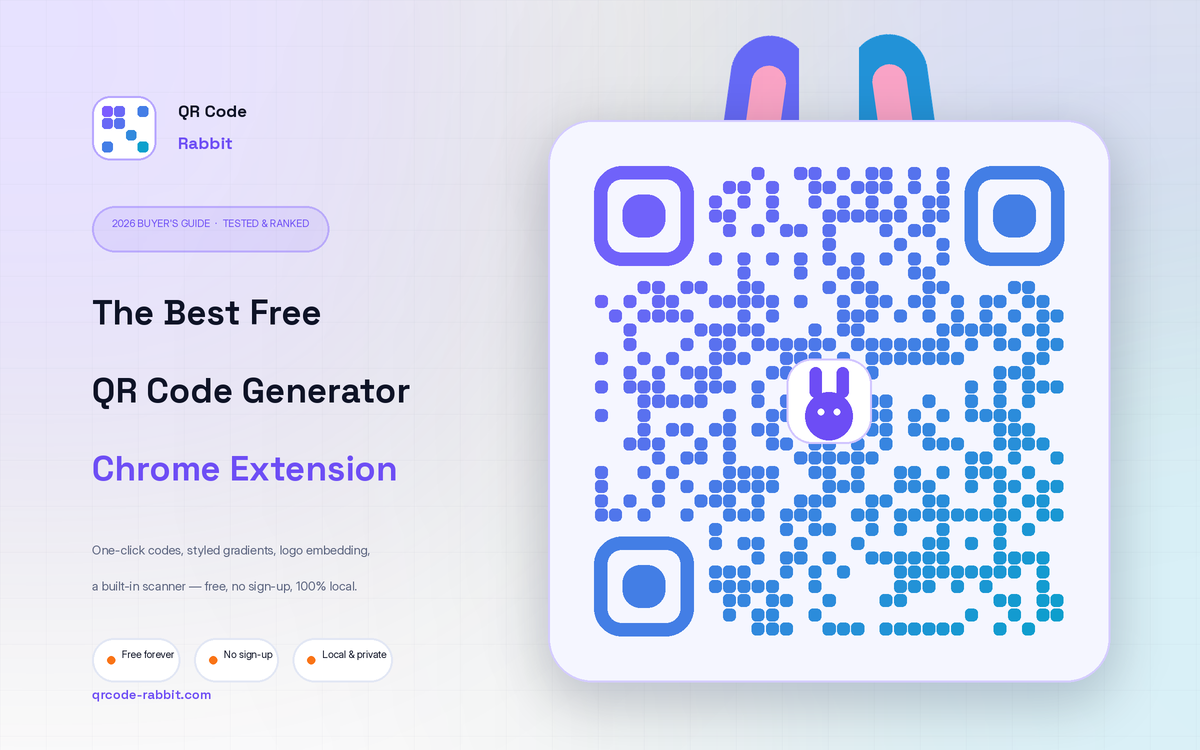
Best Free QR Code Generator Chrome Extension (2026 Guide)
The best free QR code generator Chrome extension in 2026, tested and ranked. Styled gradients, logo embedding, a built-in scanner and PNG/SVG export — no sign-up, 100% local. See why QR Code Rabbit wins.
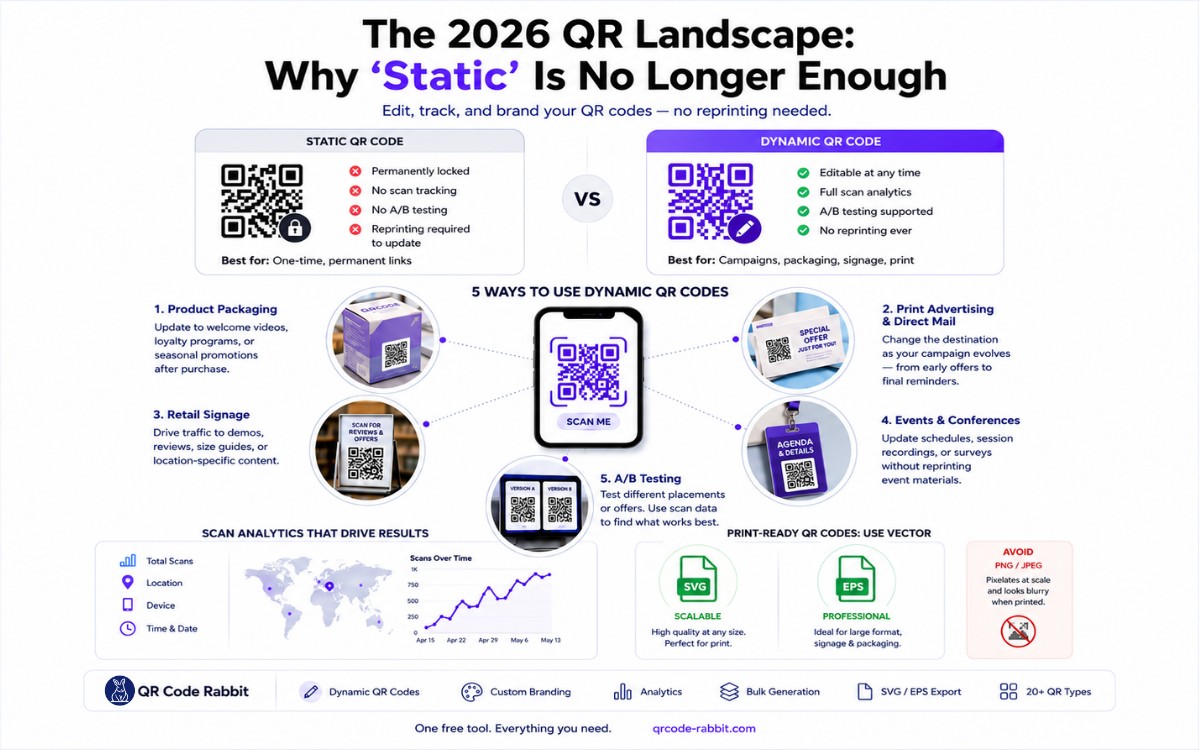
The 2026 QR Landscape: Why 'Static' is No Longer Enough
Learn how to create free dynamic QR codes that you can edit, track, and brand — no reprinting needed. QR Code Rabbit gives you everything in one free tool. Updated April 2026.
What You Will Find on the QR Code Rabbit Blog
We publish practical guides, plain-language explainers, and occasional news about QR adoption and security. The audience is shop owners, marketers, teachers, and developers who use QR codes in real projects — not theory for its own sake.
How-to articles
Step-by-step pieces for menus, badges, packaging, forms, UPI labels, and social profiles. Most include sizing tips and a short testing checklist.
Knowledge base posts
Capacity limits, error correction, static vs dynamic architecture, and how scan tracking works — written so non-developers can follow, with enough depth for integrators.
News and security
Retail and fintech adoption stories, product updates, and reminders about quishing and safe scanning habits as QR usage grows.
Resources and templates
Campaign checklists, design consistency notes, and pointers for teams rolling QR out to many locations or via API.
New posts regularly
Browse by category — how-to, knowledge base, news, resources — or read everything on the main blog index. No paywall, no login required.