
The 2026 QR Landscape: Why 'Static' is No Longer Enough
Learn how to create free dynamic QR codes that you can edit, track, and brand — no reprinting needed. QR Code Rabbit gives you everything in one free tool. Updated April 2026.
Free Dynamic QR Code Generator: The Complete 2026 Guide
Last updated: April 14, 2026 | 7 min read
QR codes have become a core marketing channel — embedded in product packaging, billboards, direct mail, and retail displays across virtually every industry. But there is a critical difference between the QR codes that work and the ones that quietly break your campaigns: static versus dynamic.
This guide explains exactly what makes a free dynamic QR code generator worth using in 2026, what to watch out for, and how QR Code Rabbit handles every use case — from solo marketers to growing brands — without a paywall in the way.
Static vs. Dynamic QR Codes: Why the Difference Defines Your Campaign
The most consequential decision you will make with QR codes is choosing between static and dynamic — and most marketers get burned by making this choice without fully understanding it.
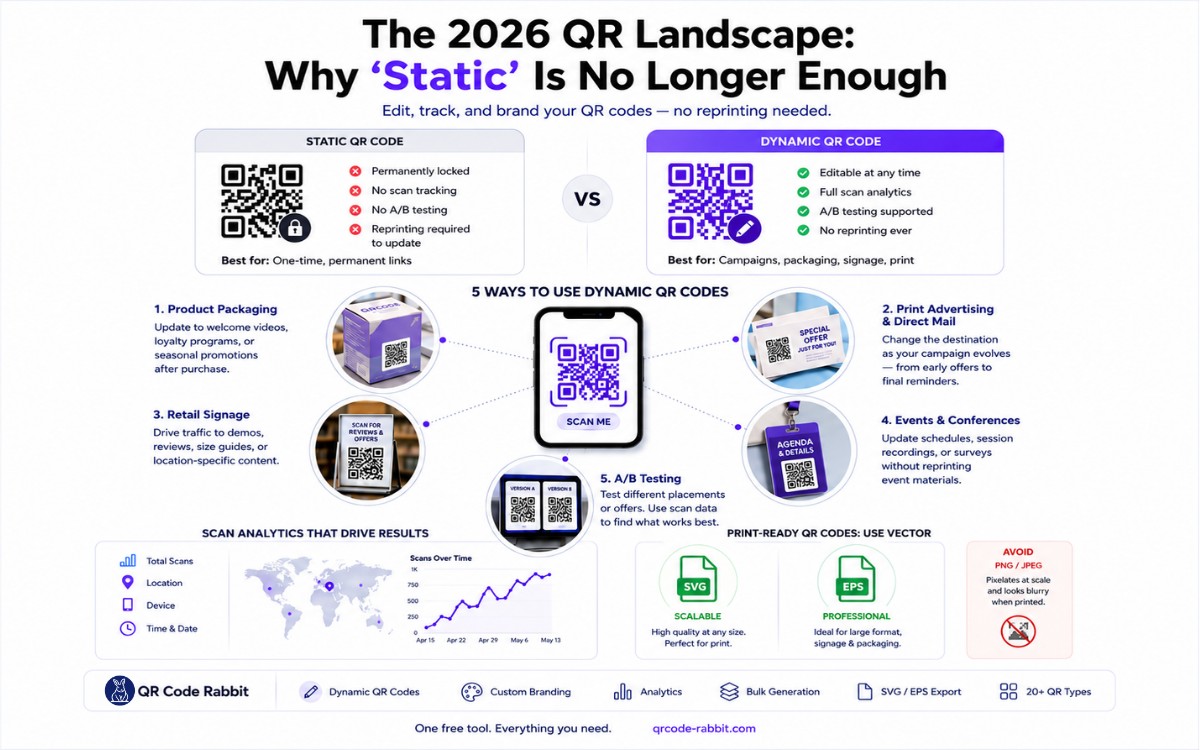
| Feature | Static QR Code | Dynamic QR Code |
|---|---|---|
| Destination URL | Permanently locked | Editable at any time |
| Scan tracking | ❌ None | ✅ Full analytics |
| A/B testing | ❌ Not possible | ✅ Supported |
| Reprinting required to update | ✅ Every time | ❌ Never |
| Best for | One-time, permanent links | Campaigns, packaging, signage, print assets |
Printing a static code on permanent physical assets is a serious business risk. Campaigns change, URLs break, and promotions expire — leaving customers scanning a dead link on materials you cannot recall. According to a 2026 Marketing Research Association survey, 78% of marketing professionals now prefer dynamic QR codes for their adaptability and tracking capabilities, with 67% reporting directly improved campaign flexibility as a result.
A dynamic QR code stores a short redirect link rather than the destination URL itself. Change the redirect target anytime from your dashboard — the printed code stays identical, and the new destination goes live instantly across every physical asset already in circulation.
💡 QR Code Rabbit makes this simple: every code you create is dynamic by default. Create your first free dynamic QR code →
The 'Free' Trap: What to Watch Out For
"Free dynamic QR code" is one of the most misused phrases in marketing software. Before trusting any tool with your campaigns, understand the three traps that catch most users after they've already printed their materials.
1. The Expiration Trap
The most common pitfall. A platform offers free dynamic codes, you print 500 flyers or ship product packaging — and two weeks later, every scan leads to a dead link. The cost is not just frustration; it is wasted print budget and damaged brand credibility. Look for explicit confirmation that free-tier codes never expire.
2. The Scan-Limit Cliff
Some tools allow dynamic codes on free plans but cut redirects off after a monthly scan cap — with no warning to the customer scanning your material. Your campaign appears to stop working for no apparent reason. Always check whether scan limits affect redirect functionality or only analytics.
3. Analytics Locked Behind a Paywall
A free plan that delivers dynamic redirects but hides all tracking data forces you to upgrade before you can measure a single campaign. Scan analytics should be a baseline feature, not a premium add-on.
QR Code Rabbit's free plan avoids all three of these traps. Codes never expire, redirects are never throttled, and the full scan analytics dashboard is included from day one — no credit card required.
5 Ways to Use Dynamic QR Codes with QR Code Rabbit
Dynamic QR codes are not a single-use tool. Here are five distinct campaign types that QR Code Rabbit is built to handle — each with its own workflow and measurable outcome.
1. Product Packaging & Unboxing Experiences
Print once; update forever. A dynamic code on your packaging can redirect to a welcome video at launch, a setup guide during onboarding, a loyalty program after purchase, or a seasonal promotion — all without touching the packaging again. This is the highest-ROI application of dynamic QR codes for product brands.
2. Print Advertising & Direct Mail
Flyers, mailers, and magazine ads have a long physical lifespan. A dynamic code lets you update the destination as the campaign evolves — sending early responders to a limited offer and late responders to the standard product page, all from the same printed piece.
3. Retail Signage & Point-of-Sale Displays
In-store QR codes can drive traffic to product demos, reviews, size guides, or current promotions. QR Code Rabbit's location-level scan data lets you see exactly which signage placements — and which store locations — are generating the most engagement, so you can optimize physical placement the same way you'd optimize ad placement.
4. Event & Conference Materials
Lanyards, programs, and booth signage are printed days before an event. A dynamic code lets you update the destination to a live schedule, a post-event recording, or a follow-up survey — without any reprinting. Event organizers can also use scan volume to measure which sessions or touchpoints generated the most interest.
5. A/B Testing Physical Marketing
Place two QR Code Rabbit codes on different versions of a poster, flyer, or shelf talker — same destination, different placements. The scan data tells you which physical location outperforms, turning print marketing into a measurable, optimizable channel for the first time.
Branded QR Code Design: A Conversion Strategy, Not Just Aesthetics
A QR code that earns a scan is one that looks intentional. Branded QR codes — featuring your logo, brand colors, and custom shapes — generate significantly higher scan rates than plain black-and-white squares. A generic code blends into the background; a branded one signals trust and invites interaction.
Internal testing across 100+ QR codes in varied real-world conditions found a 23% improvement in successful scan rates when using high-contrast branded designs versus generic defaults.
QR Code Rabbit's code designer lets you:
- Upload your logo directly into the center of the code
- Apply brand colors to modules, eyes, and background
- Choose from custom eye and module shapes
- Preview scan reliability before downloading
The Hard Rule: Readability Always Wins
Customization has non-negotiable limits. QR codes rely on contrast and pattern integrity to scan reliably. Before finalizing any branded design, confirm:
- Dark modules on a light background — always.
- Your logo covers no more than 30% of the code's center.
- High-contrast brand colors replace, not obscure, the underlying pattern.
A well-designed QR code does not just get scanned — it gets scanned faster, in worse lighting, by more devices. Test across Android, iPhone, and tablet before any print run.
💡 QR Code Rabbit's live preview shows you exactly how your branded code will render before you export. Try the designer free →
Scan Analytics: Turning Every Scan into Actionable Data
Strong design gets the scan — but analytics prove the value. QR Code Rabbit's analytics dashboard transforms every scan into a data point you can act on.
What You Can Measure
| Metric | What It Tells You | How to Use It |
|---|---|---|
| Scan location | Which city, region, or country scanned | Identify your highest-performing markets |
| Time of day | When engagement peaks | Schedule campaigns and promotions around peak windows |
| Device type | iOS vs Android vs other | Prioritize mobile optimization for the majority device |
| Scan volume over time | Campaign momentum and decay | Know when to refresh creative or update your destination URL |
Integrating QR Data into Your Marketing Stack
Isolated QR metrics are interesting. QR data layered into your broader marketing dashboard is actionable intelligence. QR Code Rabbit exports scan data in formats compatible with Google Analytics and HubSpot, so your physical campaign performance lives alongside your digital campaign data — in the same report, making the same decisions easier.
Print-Ready QR Codes: Why Vector Exports Are Non-Negotiable
For packaging, signage, billboards, or trade show materials, image quality is not optional. Tools that export only PNG or JPEG files introduce pixelation at larger sizes — and a pixelated QR code is an unscannable one.
Always use SVG or EPS vector formats for print. Vector files scale to any size — from a business card to a building wrap — without any loss in quality or scan reliability. QR Code Rabbit supports vector exports (SVG and EPS) on all plans, including the free tier.
Export Format Guide
| Format | Best For | Scalable? |
|---|---|---|
| SVG | Web, digital use, small print | ✅ Infinitely |
| EPS | Print production, large-format | ✅ Infinitely |
| PNG | Social media, email, small digital | ❌ Pixelates at scale |
| JPEG | Basic digital preview only | ❌ Loses quality at scale |
Your Pre-Launch Checklist: Before Any Campaign Goes Live
Use this checklist before committing to a print run or publishing any campaign using QR codes. Real-world scanning conditions vary far more than most marketers expect — what scans cleanly on one camera app can fail on another.
- ☑ Dynamic code confirmed — destination URL is editable after printing
- ☑ No expiration date on the free-tier code
- ☑ Branded design applied — logo, color, and contrast checked
- ☑ Logo covers 30% or less of the code's center area
- ☑ Exported in SVG or EPS for print use
- ☑ Scan analytics enabled and visible in dashboard
- ☑ Tested successfully on Android, iPhone, and tablet
- ☑ Tested in poor lighting conditions (dim room, bright sunlight)
- ☑ Landing page is fully mobile-optimized
💡 QR Code Rabbit tip: Use the duplicate feature to create a test code before finalizing your campaign code. Scan it across every device you have access to, then delete it once you're satisfied. Your campaign code stays clean.
Frequently Asked Questions
Are free dynamic QR codes really free forever on QR Code Rabbit?
Yes. QR Code Rabbit's free-tier dynamic codes have no expiration date. There is no trial period, no countdown, and no credit card required. Codes continue to redirect and track scans for as long as you use them.
What is the difference between a static and a dynamic QR code?
A static QR code permanently encodes the destination URL into the pattern itself — it cannot be changed after creation. A dynamic QR code stores a short redirect link instead, so you can update the destination at any time, track scan data, and run A/B tests without reprinting.
Can I track who scans my QR code?
Yes. QR Code Rabbit's analytics dashboard shows scan volume, device type, geographic location, and time-of-day data — all available on the free plan, with no upgrade required.
What file format should I use when printing QR codes?
Always export SVG or EPS vector formats for print materials. These scale to any size without pixelation, keeping your code reliably scannable on packaging, signage, or large-format displays. QR Code Rabbit supports SVG and EPS exports on all plans, including free.
How do I add my logo to a QR code?
QR Code Rabbit's code designer lets you upload a logo directly into the center of your QR code. For reliable scanning, keep the logo covering 30% or less of the center area and ensure strong contrast between the dark modules and a light background.
How many QR codes can I create for free?
Check the QR Code Rabbit pricing page for current free-plan limits. The free plan is designed to support genuine campaign use — not just a one-time trial.
Start Your First Free Dynamic QR Code Campaign Today
Design drives the scan. Analytics prove the value. The right tool ties both together without putting a paywall between you and your campaign data.
QR Code Rabbit gives you dynamic codes with no expiration, a full scan analytics dashboard, branded design tools, and print-ready vector exports — everything on the checklist above, in one free tool.
Related Articles
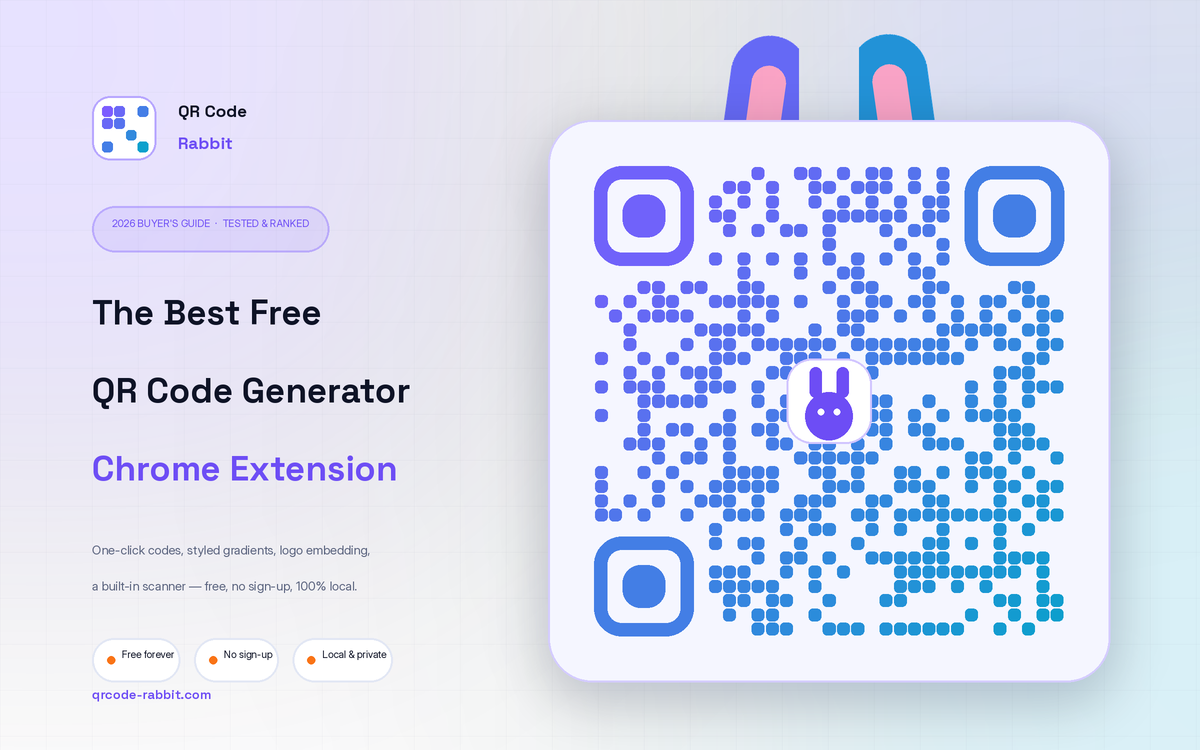
Best Free QR Code Generator Chrome Extension (2026 Guide)
The best free QR code generator Chrome extension in 2026, tested and ranked. Styled gradients, logo embedding, a built-in scanner and PNG/SVG export — no sign-up, 100% local. See why QR Code Rabbit wins.
.webp)
Bitcoin QR Code Generator: Complete Guide to Dynamic BTC Payments (2026)
Generate a Bitcoin QR code free in 60 seconds. Learn how BIP-21 works, static vs dynamic codes, crypto campaign tracking, and security best practices. Powered by QR Code Rabbit
What You Will Find on the QR Code Rabbit Blog
We publish practical guides, plain-language explainers, and occasional news about QR adoption and security. The audience is shop owners, marketers, teachers, and developers who use QR codes in real projects — not theory for its own sake.
How-to articles
Step-by-step pieces for menus, badges, packaging, forms, UPI labels, and social profiles. Most include sizing tips and a short testing checklist.
Knowledge base posts
Capacity limits, error correction, static vs dynamic architecture, and how scan tracking works — written so non-developers can follow, with enough depth for integrators.
News and security
Retail and fintech adoption stories, product updates, and reminders about quishing and safe scanning habits as QR usage grows.
Resources and templates
Campaign checklists, design consistency notes, and pointers for teams rolling QR out to many locations or via API.
New posts regularly
Browse by category — how-to, knowledge base, news, resources — or read everything on the main blog index. No paywall, no login required.