
Best Free QR Code Generator Chrome Extension (2026 Guide)
The best free QR code generator Chrome extension in 2026, tested and ranked. Styled gradients, logo embedding, a built-in scanner and PNG/SVG export — no sign-up, 100% local. See why QR Code Rabbit wins.
The short answer
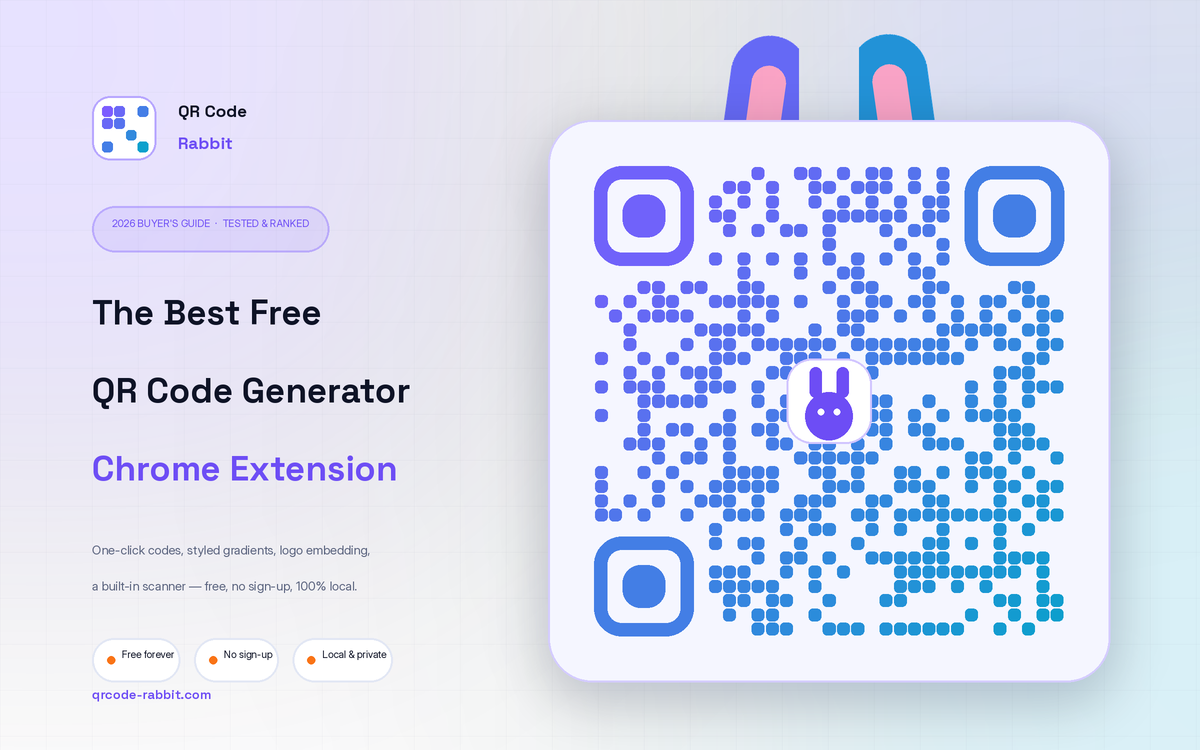
If you want one free extension that covers everything — instant one-click codes, genuinely customizable design, a built-in scanner and clean print-ready export — install QR Code Rabbit. It's the only tool in this round-up that pairs six dot styles, gradients, independent eye styling, logo embedding and four error-correction levels with a right-click scanner — and processes everything locally with no sign-up.
Below, each criterion is explained in plain language, with the technical reasoning so you can verify the verdict yourself instead of taking it on faith.
Why use a QR code extension at all?
Chrome already has a hidden share-to-QR feature, and there are hundreds of QR websites. So why add an extension? Three reasons: speed, control and privacy.
The built-in Chrome feature only turns the current URL into a plain black-and-white square — no styling, no logo, no scanner, and it disappears the moment the page changes. Most free QR websites, meanwhile, lock the good features (vector export, logo embedding, no watermark) behind a paywall, and many quietly upload your data to their servers to generate the image.
A good extension lives one click away in your toolbar, automatically reads the tab you're on, lets you design a code that matches your brand, and — if it's built right — does all of that on your own machine without sending a single request to a server. That combination is exactly where the strongest free tools compete, and where the weak ones fall apart.
How a QR code actually works (the technical part)
Before judging tools, it helps to know what they're drawing. A QR (“Quick Response”) code is a 2-D matrix barcode: a grid of black and white squares called modules. Unlike a 1-D barcode, it stores data on two axes, so it can pack far more information — up to several thousand characters — into a tiny area. Every part of the grid below has a job.
The practical takeaway: a QR code is mostly redundancy by design. That redundancy is what lets a good generator round the dots, recolor them, drop a logo in the middle, or apply a gradient without breaking the scan — as long as it preserves the finder patterns, keeps enough contrast, and raises the error-correction level to compensate. Tools that ignore those rules produce pretty codes that don't actually work in the wild.
What separates a great QR extension from a throwaway one
These are the eight things worth checking before you trust a code on a printed flyer or a product label:
-
1 · One-click capture of the current tab
The extension should detect the page URL automatically — no copy-pasting — and update a live preview as you type.
-
2 · Real design control (not just a color picker)
Dot shapes, eye/frame styling, gradients and backgrounds determine whether a code looks like a design asset or a raw data square.
-
3 · Logo embedding with auto error-correction
Branded codes scan more often because they signal trust — but only if the tool bumps error correction to keep them readable.
-
4 · Vector (SVG) export, no watermark
PNG is fine for screens; SVG is essential for print, signage and laser-cutting because it never pixelates. Watermarks are a dealbreaker.
-
5 · Error-correction control (L / M / Q / H)
You should be able to choose how much damage a code can survive — critical for anything that ends up outdoors or on packaging.
-
6 · A built-in scanner / reader
Decoding a QR you find online — by upload or right-click — is half the job. Generator-only tools leave you reaching for your phone.
-
7 · Local, private processing
Generation and scanning should happen in your browser. If your URLs and images are sent to a server, that's a privacy cost you didn't agree to.
-
8 · A path to dynamic codes when you scale
Static codes are permanent. The moment you need editable destinations or scan analytics, you want a tool that connects to a dynamic platform.
#1 · QR Code Rabbit — the most complete free option
QR Code Rabbit is the only extension in this guide that scores on all eight criteria at once. It opens with your current tab already encoded, then hands you a level of design control normally reserved for paid web apps — and it does it without an account, without watermarks, and without sending your data anywhere.
What stands out in practice
Two features genuinely set it apart. First, the independent eye styling: you can give the finder frames one color and the inner balls another, then style the data dots as a gradient — three layers of control most extensions don't expose at all. Second, the right-click scanner: spot a QR on a web page, right-click the image, and it decodes on the spot without saving the file first. That single feature replaces a separate scanner app.
It also handles the details that protect a real scan: a built-in warning if your dot color matches the background (the classic “invisible QR” mistake), transparent-background export for layering over photos, and automatic error-correction compensation when you add a logo. When you outgrow static codes, the same brand connects to a full dynamic platform at qrcode-rabbit.com for editable destinations and scan analytics.
The strongest alternatives
No round-up is honest without competition. These are the extensions worth knowing about, and where each one fits:
QR Code Generator (high-rated, 800k+ users)
The most-installed option in the store, with camera scanning, scan history and a dark-mode UI. It's a safe, popular all-rounder — but its styling options are lighter than QR Code Rabbit's, with fewer dot/eye combinations and no gradient depth.
The QR Code Generator (TQRCG)
Notable for letting you pick static or dynamic codes right inside the extension, with analytics on the dynamic side. Great if dynamic campaigns are your priority from day one; the free static design tooling is more basic.
QRCodeChimp beautification studio
A polished generator from an established QR brand, strong for quickly sharing URLs and selected text. Deeper design work tends to push you toward the web app rather than staying inside the extension.
Easy QR / Zovo QR Generator
Both lean on the “fast, offline, privacy-first, watermark-free” promise and deliver clean one-click codes with colors and logos. They're excellent minimalist choices, but stop short of QR Code Rabbit's six dot styles, independent eye styling and built-in right-click scanner.
Side-by-side comparison
A quick scan of how the free tools stack up on the criteria that matter most:
| Capability | QR Code Rabbit | High-rated generator | TQRCG | Easy QR / Zovo |
|---|---|---|---|---|
| 6 dot styles | ✔ | Partial | Basic | Basic |
| Linear + radial gradient | ✔ | — | — | Partial |
| Independent eye frame + ball | ✔ | — | — | — |
| Center logo + auto-EC | ✔ | Partial | ✔ | ✔ |
| L/M/Q/H error-correction control | ✔ | — | Partial | — |
| SVG / WEBP export | ✔ | Partial | Partial | Partial |
| Built-in scanner + right-click | ✔ | Camera | — | Partial |
| 100% local · no sign-up | ✔ | ✔ | Partial | ✔ |
| Dynamic upgrade path | ✔ | — | ✔ | — |
Capabilities reflect the free, in-extension experience at the time of writing; vendors update features frequently, so verify on the Chrome Web Store before relying on a specific option.
Static vs dynamic QR codes — and when each one wins
This is the single most misunderstood part of QR codes, and it decides which tool you need. The difference isn't visual — it's about where the destination lives.
Use static for anything permanent and offline-friendly: a Wi-Fi code on a fridge, a vCard on a business card, a link that will never move. Use dynamic when the destination might change after printing, or when you need to know how many people scanned, where, and on what device — restaurant menus, seasonal campaigns, packaging and event check-ins.
Error correction: the setting that decides if your code survives the real world
QR codes use Reed–Solomon error correction — the same maths behind CDs and deep-space transmissions — to rebuild data from damaged or obscured modules. You pick one of four levels, trading size for resilience:
L
~7% recovery
Smallest code. Clean digital-only use.
M
~15% recovery
The balanced default for most cases.
Q
~25% recovery
Best when adding a logo or printing.
H
~30% recovery
Max resilience for outdoor / high-wear.
The rule of thumb: if a code will be touched by the physical world — packaging that scuffs, signage that weathers, a logo covering the center — choose Q or H. For an email signature or an on-screen link, L or M keeps the code small and crisp. QR Code Rabbit exposes all four; many extensions silently lock you to one.
How to make a branded QR code in about 60 seconds
- 1
Install QR Code Rabbit from the Chrome Web Store and pin it to your toolbar.
- 2
Click the icon — your current tab's URL is already encoded and previewing. Or paste any link or text.
- 3
Pick a dot style, set a solid color or gradient, and style the eyes to match your brand.
- 4
Drop your logo in the center and set error correction to Q or H so it stays scannable.
- 5
Choose your size (up to 1000px) and download as PNG, SVG, JPEG or WEBP — no watermark.
Ready to try the #1 free QR extension?
Install in one click. No account, no watermark, no data leaving your browser.
Add QR Code Rabbit to Chrome →Frequently asked questions
Is QR Code Rabbit really free?
Yes. The Chrome extension generates and scans QR codes for free, with no sign-up and no watermark on your downloads. A separate web platform at qrcode-rabbit.com adds paid-tier dynamic features like editable destinations and analytics.
Do QR codes expire?
Static codes never expire — they keep working as long as the destination they encode stays online. Dynamic codes rely on a redirect service, so they last as long as that service and your plan remain active.
Will adding a logo break the scan?
Not if the tool compensates. A logo covers some modules, but raising error correction to Q or H lets the code rebuild that data. QR Code Rabbit adjusts automatically and caps logo size at 40% to stay safe.
PNG or SVG — which should I download?
Use PNG for screens, email and web embeds. Use SVG for anything printed or scaled — flyers, posters, signage, laser-cutting — because vectors stay razor-sharp at any size.
Is it private — does my data leave my browser?
With QR Code Rabbit, no. Both generation and scanning run locally in your browser, so your URLs and images aren't uploaded to any server, and no account is required.
Can it scan a QR code I find on a website?
Yes — that's one of its standout features. Right-click any QR image on any page and choose “Scan QR Code from Image,” or upload an image to the Scan tab, and it decodes instantly with copy and open-URL actions.
The bottom line
Plenty of free extensions make a passable QR code. Very few give you real design control, a built-in scanner, true vector export, full error-correction control and local-only privacy — all without an account. On those terms, QR Code Rabbit is the best free QR code generator extension for Chrome in 2026, and the alternatives above are solid fallbacks depending on whether you prioritize install base, dynamic-first workflows or pure minimalism.
Related Articles
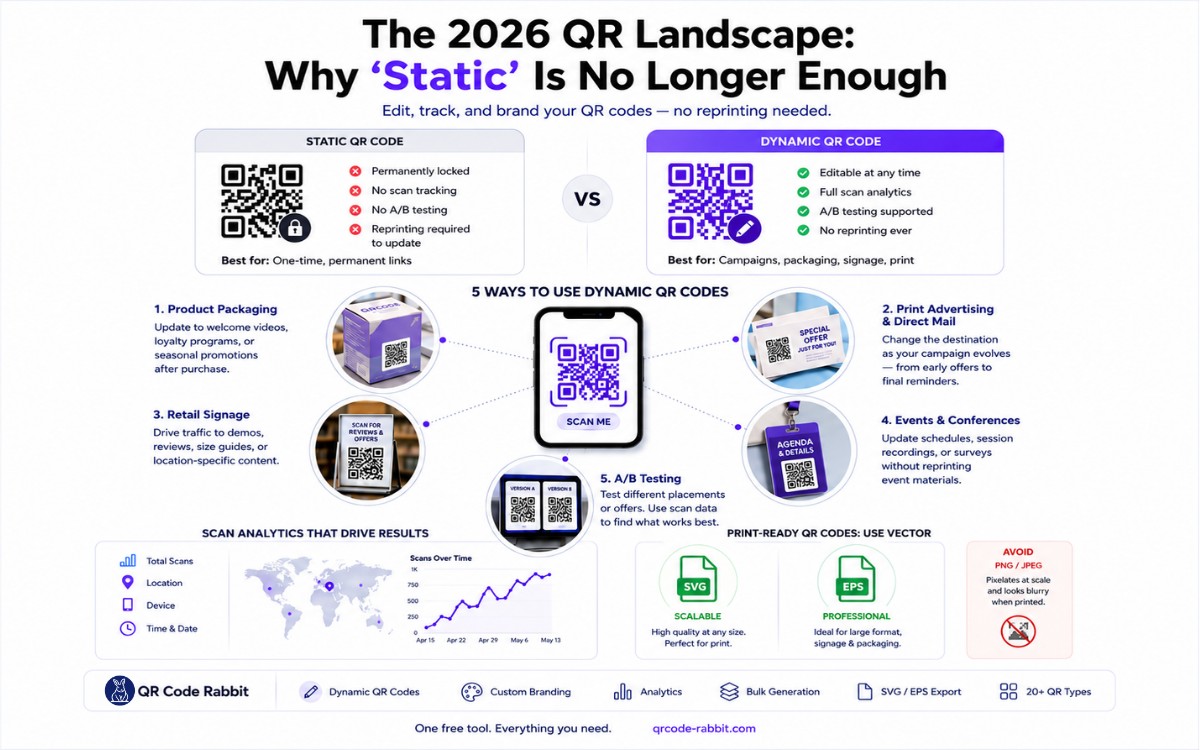
The 2026 QR Landscape: Why 'Static' is No Longer Enough
Learn how to create free dynamic QR codes that you can edit, track, and brand — no reprinting needed. QR Code Rabbit gives you everything in one free tool. Updated April 2026.
.webp)
Bitcoin QR Code Generator: Complete Guide to Dynamic BTC Payments (2026)
Generate a Bitcoin QR code free in 60 seconds. Learn how BIP-21 works, static vs dynamic codes, crypto campaign tracking, and security best practices. Powered by QR Code Rabbit
What You Will Find on the QR Code Rabbit Blog
We publish practical guides, plain-language explainers, and occasional news about QR adoption and security. The audience is shop owners, marketers, teachers, and developers who use QR codes in real projects — not theory for its own sake.
How-to articles
Step-by-step pieces for menus, badges, packaging, forms, UPI labels, and social profiles. Most include sizing tips and a short testing checklist.
Knowledge base posts
Capacity limits, error correction, static vs dynamic architecture, and how scan tracking works — written so non-developers can follow, with enough depth for integrators.
News and security
Retail and fintech adoption stories, product updates, and reminders about quishing and safe scanning habits as QR usage grows.
Resources and templates
Campaign checklists, design consistency notes, and pointers for teams rolling QR out to many locations or via API.
New posts regularly
Browse by category — how-to, knowledge base, news, resources — or read everything on the main blog index. No paywall, no login required.