
Free Link Page QR Code Generator — Share All Your Links
Design, Generate, and Track All in One Place
One Smart QR Code. Every Link in One Place.
Turn a single QR code scan into an engaging, mobile-optimized landing page. Combine your website, social networks, portfolio, product store, and booking links into one beautifully branded bio hub—no coding or hosting required.
100% Mobile Optimized
Instant page load with smooth, native touch experience on every smartphone screen.
Designer-Crafted Themes
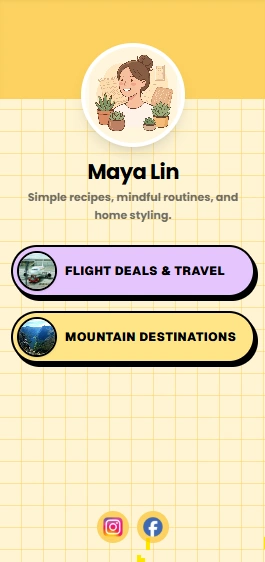
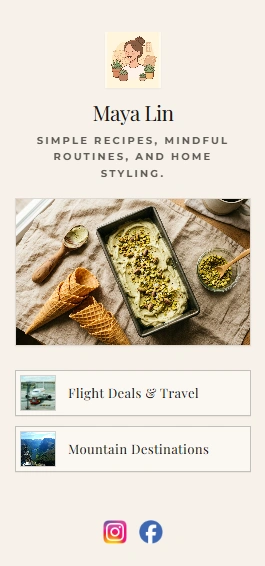
Choose from dark modern elegance, editorial chic, neo-pop, and warm artisan styles.
Dynamic QR Flexibility
Update links, swap banners, and reorder buttons anytime without reprinting your QR code.
Scan & Click Analytics
Track scan counts, unique visitors, and individual link clicks right from your dashboard.
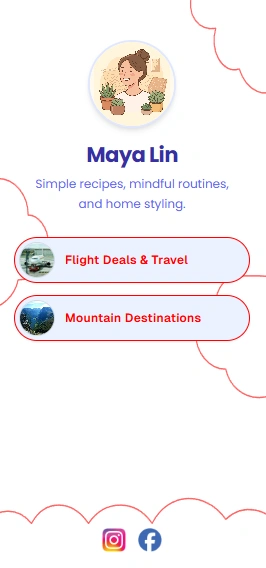
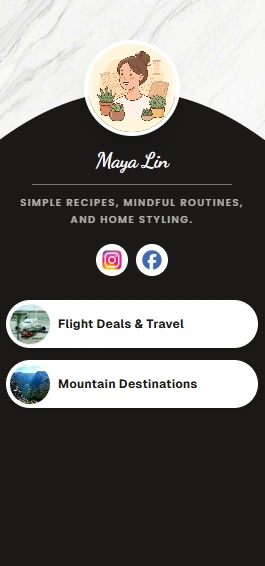
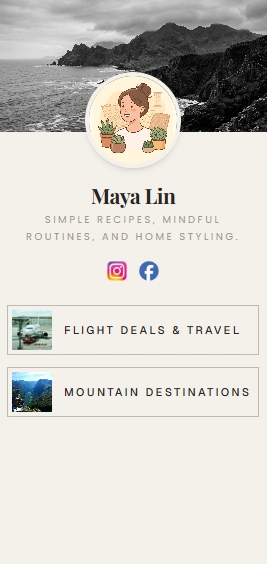
Simple & Fast
How to Create a Link Page QR Code in 3 Steps
No account needed. Turn all your links into a single scannable QR code in under 60 seconds — completely free.
Add all your links
Add your Instagram, website, store, YouTube channel, and any other links you want to share. QR Code Rabbit combines them into one mobile-friendly link page.
Customise your link page QR code
Upload your logo or profile photo, choose brand colours, select a dot pattern, and add a frame — make the QR code match your personal or business branding.
Download and share everywhere
Export as PNG or SVG and add it to packaging, storefronts, business cards, or your Instagram bio. One scan gives your audience access to every link you have.
Why Link Page QR Codes?
Everything you need from a free link page QR code generator
Share every link that matters — social profiles, store, portfolio — from one branded QR code that never needs to change.
One QR code, unlimited links
Combine your Instagram, website, store, YouTube, and more into a single mobile-friendly landing page — one scan gives visitors access to everything.
Add or remove links anytime
Update your link page whenever your business changes — new product launch, seasonal sale, new social channel — without touching the printed QR code.
Branded with your logo & colors
Add your logo or profile photo, choose brand colours, and pick a dot pattern. Make the QR code and the link page it opens feel like one cohesive brand.
Scan & click analytics
See total scans, unique visitors, and which links get clicked most — data that helps creators and businesses understand what their audience cares about.
Works on every device
iPhone, Android, or desktop — every modern camera scans the code and opens a mobile-optimised link page instantly. No app required for you or your audience.
100% free — no hidden costs
Create your link page QR code at no cost. No watermarks, no scan limits, no expiry date, and no credit card required. Always free on QR Code Rabbit.
Real-World Applications
Who uses link page QR codes — and how
From social media creators to small businesses, link page QR codes turn one scan into access to every important link you have.
Social Media Bio Links
Creators and influencers place a link page QR code on merchandise, posters, or livestream overlays — one scan replaces the single-link limit of an Instagram or TikTok bio.
Small Business 'All Links' Cards
Shops and service providers print a QR code on window decals or receipts linking to their website, online store, booking page, and reviews — all in one place.
Events & Conferences
Organisers add a link page QR code to badges or programs linking to the schedule, speaker bios, sponsor pages, and registration — no printed booklet needed.
Content Creator Hubs
Podcasters and YouTubers use a link page QR code on video end-screens or merchandise linking to every platform they publish on — Spotify, YouTube, Patreon, and more.
Restaurant Hub Pages
Restaurants combine their menu, reservation link, social profiles, and review pages into one link page QR code placed on table cards or the front door.
Weddings & Personal Pages
Couples share a link page QR code on invitations linking to their registry, RSVP form, travel details, and photo gallery — everything guests need in one scan.
Ready to share all your links with a single scan?
Link Page QR Codes — One Scan, Many Buttons
One code can open a small page with your site, shop, booking link, and social profiles listed as buttons. Think link-in-bio, but for a poster or business card.
What the page holds
Photo, headline, short bio, and ordered buttons to any URL — Instagram, YouTube, Calendly, PDF menu, payment page. One print asset covers everything you routinely share.
Creators and speakers
Merch tables, media kits, and final slides benefit when the audience picks their preferred platform instead of you guessing.
Shops with several touchpoints
Restaurants bundle menu PDF, reservations, reviews, and socials on a table tent. Salons link booking, services, and retail. Fewer separate codes to maintain.
Reorder links anytime
Dynamic link pages let you promote a holiday offer at the top today and swap it next month without new print.
Keep the list short
Five to eight clear buttons beat a long scroll. Book appointment beats Click here. Preview on iOS and Android before going to print.
Explore More
More free QR code generators
QR Code Rabbit supports every QR code type — URLs, social profiles, payments, documents, and more. All free, no signup needed.
PDF QR Code Generator
Upload a PDF and share it via QR code. Perfect for menus, brochures, and documents.
Google Form QR Code Generator
Convert any Google Form into a QR code. Capture survey responses, registrations, and feedback from print.
Form QR Code Generator
Create custom online forms and collect responses, surveys, and registrations via a scannable dynamic QR code.
UPI QR Code Generator
Accept instant UPI payments from any app. Works with GPay, PhonePe, Paytm, BHIM, and every UPI app.
Crypto QR Code Generator
Share your Bitcoin, Ethereum, or any crypto wallet address as a scannable QR code. Zero entry errors.
Image QR Code Generator
Turn a photo or gallery into a scannable QR code. Perfect for portfolios, listings, and visual menus.
Frequently Asked Questions
Questions About Bio & Links Page QR Codes
Hosting multiple links on a single mobile landing page behind one QR code.
A link page QR code is a scannable image that opens a single landing page containing multiple links — your website, social profiles, online store, and more — all in one place, similar to a Linktree page.
Yes. Creating a static link page QR code on QR Code Rabbit is free, with no scan limits and no expiry date. Dynamic link pages that let you edit links after printing are available with a free account.
Yes. With a dynamic link page QR code, you can add, remove, or reorder links at any time without changing the printed QR code — ideal for creators and businesses whose links change often.
There is no practical limit. Add your website, Instagram, YouTube, online store, booking page, and any other destination — all accessible from a single scannable QR code.
Scan and click analytics are available with dynamic link page QR codes. QR Code Rabbit's dashboard shows total scans, unique visitors, and which links get clicked most.
Yes. Upload your logo or profile photo, choose custom colors, select a dot pattern, and add a frame — all free on QR Code Rabbit.
Still have questions?
Can't find the answer you're looking for? Our support team is happy to help.