

12 Diwali QR Code Ideas for Shops, Families & Brands (2026)
UPI payments, WhatsApp orders, expiring offers and video blessings, with the right QR type for each
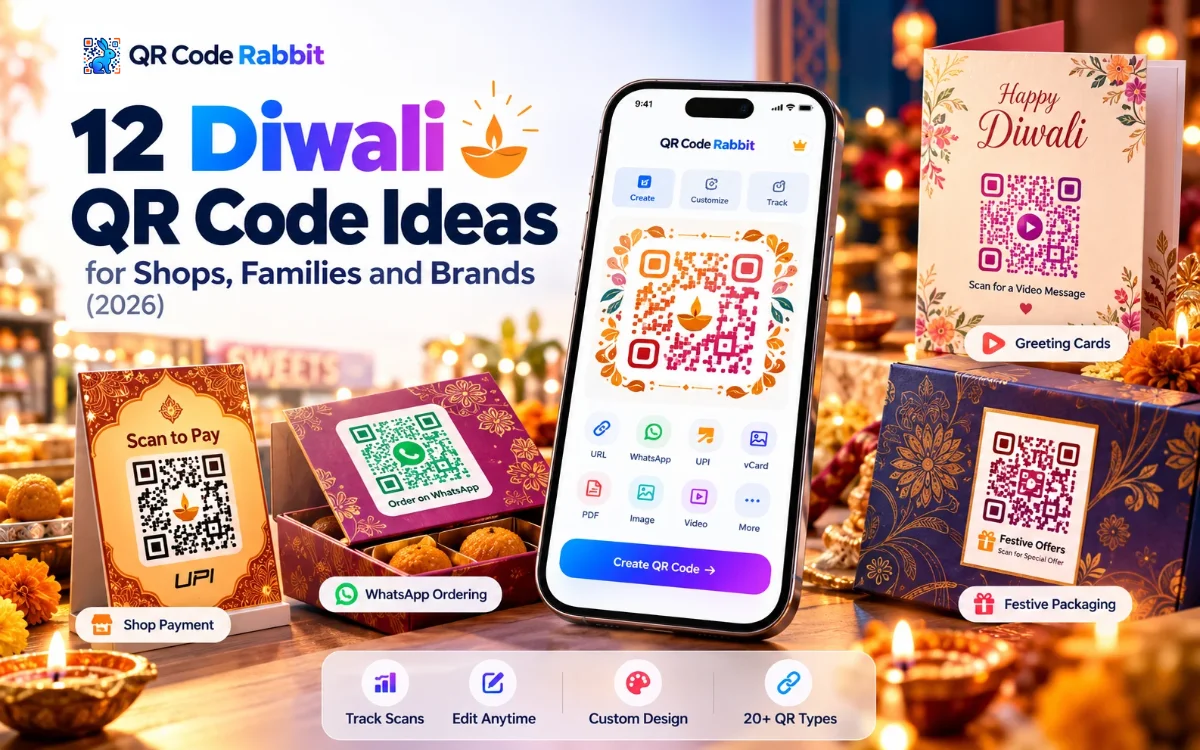
The best Diwali QR code ideas are a UPI payment code at the counter, a WhatsApp order or greeting code, a festive offer page that expires after the festival, and video or photo greetings on gift boxes. QR Code Rabbit makes static codes free forever and dynamic codes you can edit after printing.
On this page
Diwali falls on 8 November 2026 in India, with Dhanteras on 6 November, according to HinduTone (checked 24 October 2026). Dates differ by a day in some regions, so check your local calendar. That leaves a short window to print and test, so pick your ideas now.
A Diwali QR code is a scannable square that sends customers and relatives to a payment, a chat, an offer or a greeting in one scan, with no typing. It stores either the destination itself (static) or a short link you can change later (dynamic). Phone cameras on iPhone and Android read both with no app to install, which matters when a festive crowd is queuing. Static codes are free forever on QR Code Rabbit and never expire. Dynamic codes let you edit the page after printing, schedule when it goes live and set an expiry date, which suits one-festival offers. Dynamic codes count against your plan, and the free plan lasts 15 days with up to 3 dynamic codes.
Section 01
What are the best Diwali QR code ideas for shops?
1. UPI payment code at the counter
Put a UPI payment code beside the cash desk so customers pay without handing over cash during the Dhanteras and Diwali rush. Print it large and keep the area around it clear of diyas and flowers.
QR type: UPI QR code generator · Static
2. Festive offer page that expires on its own
Link a dynamic code to a Diwali offer page and schedule when it goes live. Set an expiry date so the code stops working after the festival instead of promoting a finished sale.
QR type: URL QR code generator · Dynamic
3. WhatsApp order and enquiry code
Let customers message you to order sweets, gifts or decorations. A WhatsApp code opens a chat with you in one scan, which suits small shops that take orders by message.
QR type: WhatsApp QR code generator · Static
4. Festive catalogue or price list
Share a PDF catalogue of gift hampers, sweets or rangoli kits. A PDF code opens a hosted viewer, so you can update prices without reprinting the standee.
QR type: PDF QR code generator · Dynamic
5. Shop location for festival visitors
Print a location code on flyers and shop-front banners so visitors open your shop on Google Maps. It is useful for pop-up stalls in a market lane that people struggle to find.
QR type: Location QR code · Static or dynamic
Section 02
What are good Diwali QR code ideas for families?
6. Video or voice blessing on a gift box
Attach a short video or audio greeting to a sweet box or gift. The recipient scans and hears or sees your message. Use a video code for faces and a recorded blessing, or an MP3 code for audio.
QR type: video QR code generator · Dynamic
7. Family photo gallery from the celebration
Share rangoli, puja and family photos through one hosted gallery page. Print the code on a card and relatives can scan it to see the photos without a group chat.
QR type: image QR code generator · Dynamic
8. Diwali party invite with a map
Print a location code on the invitation so guests open the venue in Google Maps, and add a WhatsApp code for RSVPs. Both work with the built-in camera on iPhone and Android.
QR type: Location QR code · Static
Section 03
How can brands use Diwali QR codes?
9. One code for all your festive links
Use a Links Page code on packaging and cards so one scan opens your store, Instagram and offer page. Edit the buttons after printing if the offer changes. A Links Page needs a plan that includes it, so check pricing.
QR type: Links Page QR code generator · Dynamic
10. Festive social contest
Print an Instagram code on boxes and bills that opens your profile, then run a photo contest. Add a YouTube code if you share a puja or recipe video.
QR type: Instagram QR code generator · Static or dynamic
11. Lucky draw or feedback form
Link a Google Form to a lucky-draw entry or a feedback request on the shopping bag. Customers scan, fill the form and enter, and you collect responses in your own Google account.
QR type: Google Form QR code generator · Static or dynamic
12. Digital contact card for seasonal sellers
Home bakers and decorators who sell only at Diwali can print a vCard code on packaging so repeat customers save their number. vCard needs a plan that includes it.
QR type: vCard QR code generator · Dynamic
Section 04
Which QR type fits each Diwali idea?
# | QR type | Static or dynamic |
|---|---|---|
1 | UPI payment | Static |
2 | Offer page (schedule + expiry) | Dynamic |
3 | Static | |
4 | PDF catalogue | Dynamic |
5 | Location | Static or dynamic |
6 | Video or MP3 blessing | Dynamic |
7 | Image gallery | Dynamic |
8 | Location + WhatsApp invite | Static |
9 | Links Page | Dynamic |
10 | Static or dynamic | |
11 | Google Form | Static or dynamic |
12 | vCard | Dynamic |
Rule of thumb: use a static code when the destination never changes, such as a payment or a chat. Use a dynamic code when you want to edit the page, schedule it or see scan numbers. See our guides to static QR codes and dynamic QR codes.
Section 05
How should you print Diwali QR codes?
Print each code at least 2 × 2 cm (0.8 × 0.8 in) for close range, and allow about 1 cm of code per 10 cm of scan distance for banners. Festive gold and red look lovely, but the pattern must stay dark on a light background.
Keep a quiet zone of at least 4 modules of white border, and keep diyas, flowers and rangoli powder away from it.
Use error correction level H (30%) if you add a logo to the middle.
Do not place the code on shiny foil or glossy gift wrap that reflects the shop lights.
Test on an iPhone and an Android phone, in daylight and under warm festive lighting.
Add a few words next to the code, such as "Scan to pay" or "Scan for our Diwali offer".
Section 06
What Diwali QR code mistakes should you avoid?
1
Low contrast. Gold on red or maroon looks festive and fails to scan. Keep dark on light.
2
No test before printing. Scan every code on two phones, and open every link.
3
Using a dynamic code and letting the plan lapse. A dynamic code stops working when the plan expires. Do not print it on materials you reuse next year unless the plan stays active.
4
Promoting an offer after it ends. Set an expiry date on the offer page code.
5
Printing too small. Below 2 × 2 cm, scans fail. Size the code for the viewing distance.
6
Wrong or missing destination. A UPI code with a typo sends money to the wrong place. Check the ID with a small test payment.
Make your Diwali QR code
No signup for static · No credit card · No watermarks
Create a QR code →
FAQ
When is Diwali in 2026?
Diwali falls on 8 November 2026 in India, with Dhanteras on 6 November, according to HinduTone. Dates can differ by a day in some regions, so check your local calendar.
Which QR code is best for Diwali payments?
A UPI QR code is the usual choice for shops and stalls in India. It is a static code, so it never expires. Test it with a small payment before you print it.
Can I make a Diwali offer QR code expire?
Yes. A dynamic QR code can be scheduled to go live and given an expiry date, so the offer page stops working after the festival. Dynamic codes follow your plan.
Are QR Code Rabbit QR codes free?
Static QR codes are free forever, with no watermark and no expiry. The free plan for dynamic codes lasts 15 days and includes up to 3 dynamic codes.
What size should a Diwali QR code be?
Print at least 2 × 2 cm for close range, and about 1 cm of code per 10 cm of scan distance for banners. Keep a white border of at least 4 modules.
Can I put a QR code on a gift box?
Yes. Print the code on a card or label with a clear white border, avoid glossy foil, and link it to a video, photo gallery or greeting page.
The best Diwali QR code ideas save time at the counter and add warmth to a gift: a UPI code, a WhatsApp code, an offer page that expires, and a video blessing. Pick two or three, create them on QR Code Rabbit, test them on two phones, and print before the festival rush.
Related Articles
How to Create a Menu QR Code for Restaurants (Step by Step)
Pick PDF or URL, design it, size it for the table, and update your menu without reprinting.
PDF QR Code Generator: Turn Any PDF Into a QR Code
Upload a PDF, design the code, and track every scan. Print size, static vs dynamic and common mistakes included.
What You Will Find on the QR Code Rabbit Blog
We publish practical guides, plain-language explainers, and occasional news about QR adoption and security. The audience is shop owners, marketers, teachers, and developers who use QR codes in real projects — not theory for its own sake.
How-to articles
Step-by-step pieces for menus, badges, packaging, forms, UPI labels, and social profiles. Most include sizing tips and a short testing checklist.
Knowledge base posts
Capacity limits, error correction, static vs dynamic architecture, and how scan tracking works — written so non-developers can follow, with enough depth for integrators.
News and security
Retail and fintech adoption stories, product updates, and reminders about quishing and safe scanning habits as QR usage grows.
Resources and templates
Campaign checklists, design consistency notes, and pointers for teams rolling QR out to many locations or via API.
New posts regularly
Browse by category — how-to, knowledge base, news, resources — or read everything on the main blog index. No paywall, no login required.
Ready to try it? Create a free QR code on QR Code Rabbit.