
Links Page QR Code Generator: One Scan, All Your Links
Build a link-in-bio page you can print, edit it after printing, and see which button people press
The short answer
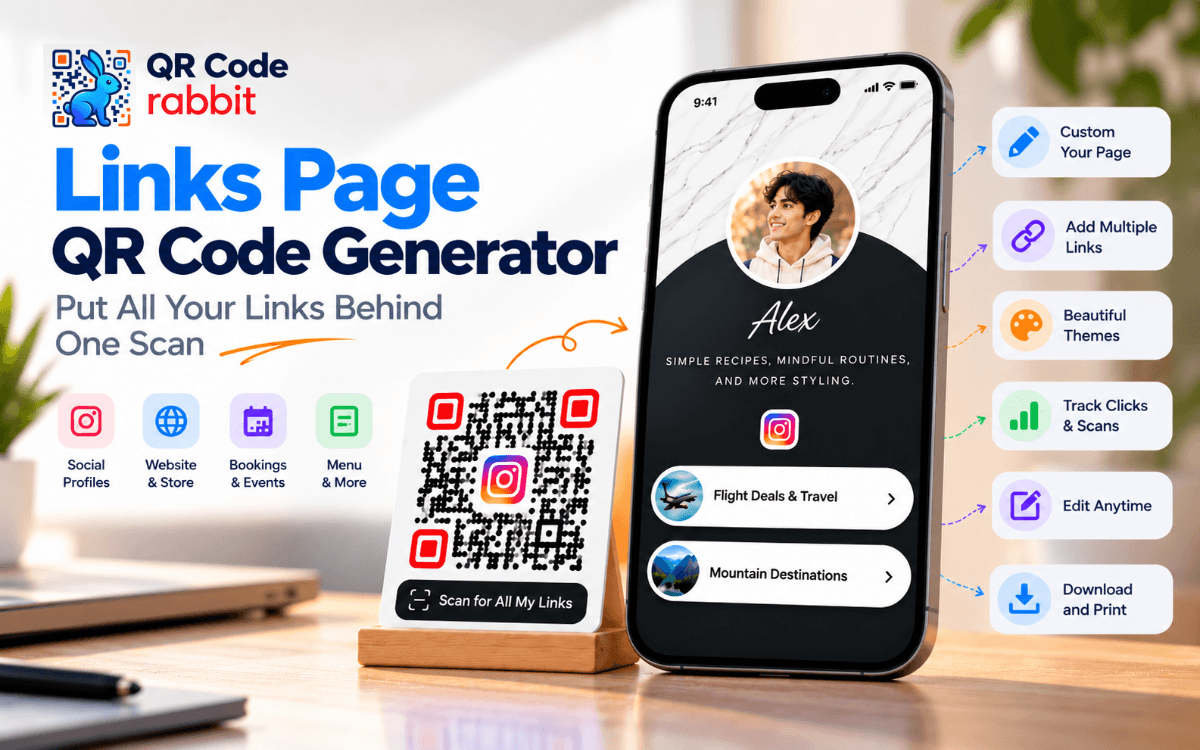
A Links Page QR code generator turns one QR code into a mobile page of buttons, so one scan opens your Instagram, menu, booking link and more. QR Code Rabbit's Links Page QR code generator lets you build the page, style the code, and change the links later without reprinting.
On this page
Section 01
What is a Links Page QR code and how does it work?
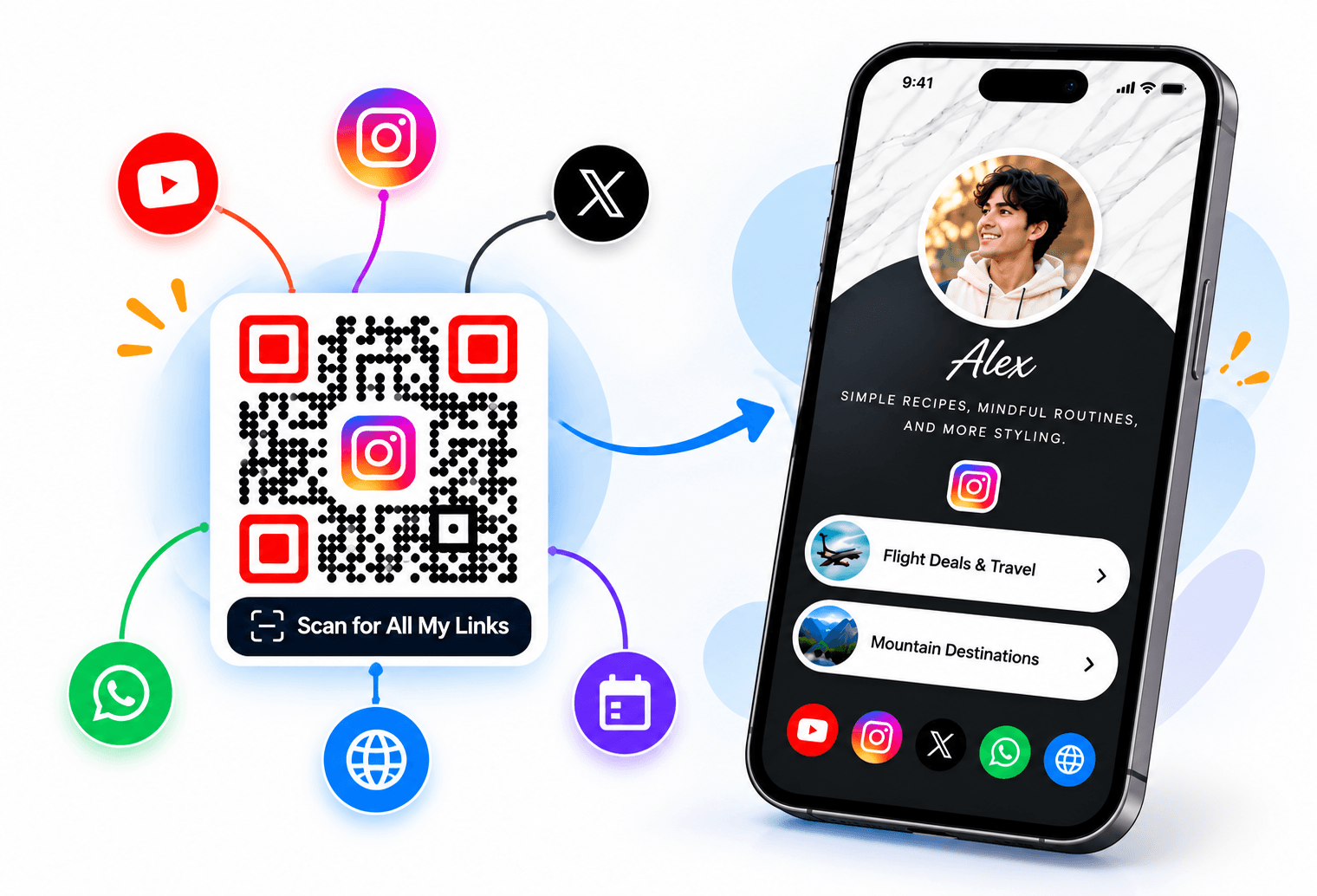
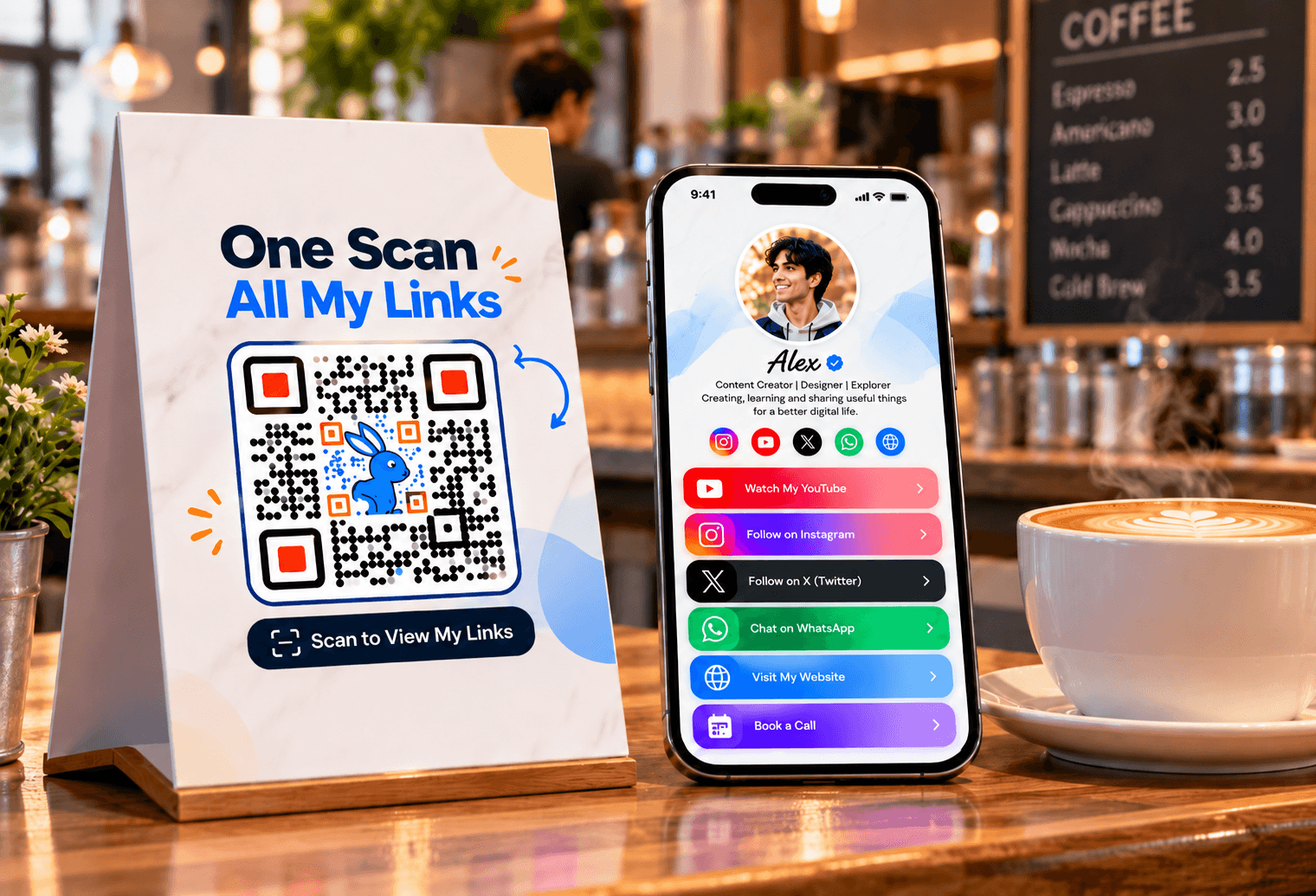
A Links Page QR code opens a small mobile page instead of a single website. Think of it as a link-in-bio page you can print.
QR Code Rabbit's Links Page is a mobile landing page with a photo, a headline, a short bio and ordered buttons that can point to any URL. Examples include Instagram, YouTube, Calendly, a PDF menu or a payment page. You print one QR code on a poster, business card or package, and everyone who scans lands on the same page. Because a Links Page is a dynamic QR code, the code holds a short link rather than the buttons themselves, so you can edit the buttons later and the printed code keeps working. That makes it a good fit when you have more than one thing to share and do not want to print a separate code for each. It works with the built-in camera on iPhone and most Android phones, with no app to install.
Section 02
How do you use a Links Page QR code generator in 7 steps?
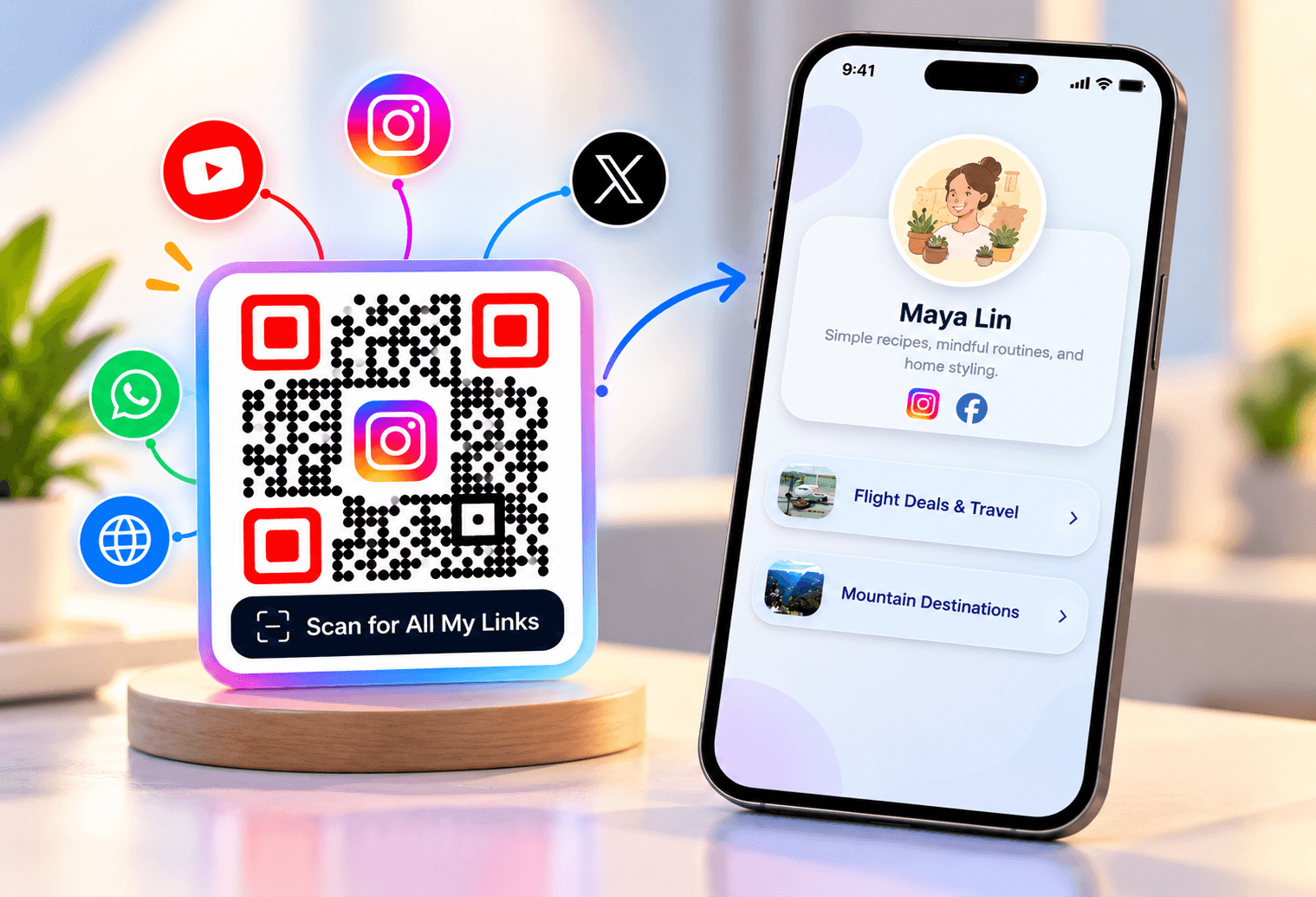
Open the Links Page generator, add your profile details and buttons, style the QR code, and download it. The page is built in the generator, so you need no website or design skills.
Open the Links Page QR code generator.
Add a profile photo or logo, a headline and a short bio.
Add your buttons one by one, each with a label and a URL, and put the most important one first.
Pick one of the four themes: dark modern elegance, editorial chic, neo-pop or warm artisan.
Style the QR code: foreground and background colors, eye color, shapes, a dot pattern and a frame. If you add a logo, set error correction to H (30%).
Download the code as PNG or SVG. Free export goes up to 1024 px; paid plans export up to 4096 px.
Scan it with an iPhone and an Android phone and tap every button before you print.
Not sure what a printed code holds? Drop it into our free QR code scanner to see the link it opens.
Section 03
What should you put on a Links Page?
Keep it to five to eight clear buttons, with the action you most want people to take at the top. More buttons make a scan feel like a menu, and fewer leave the page doing little work.
| Who you are | Good first buttons |
|---|---|
| Creator or podcaster | Latest video or episode, Instagram, YouTube, newsletter |
| Shop | Online store, Instagram, WhatsApp chat, store location |
| Restaurant or cafe | PDF menu, booking link, reviews, Instagram |
| Event organizer | Schedule, tickets, venue map, contact |
| Couple (wedding) | Photos, gift registry, schedule, RSVP |
For a single destination, a plain URL QR code is simpler. For a contact card only, use a vCard QR code. A Links Page earns its place when you need several destinations behind one code. Buttons for Instagram, YouTube and WhatsApp are the usual starters.
Section 04
Is a Links Page QR code static or dynamic?
A Links Page QR code is dynamic: it stores a short link, and the page behind it can be edited at any time. That is why you can fix a broken button or swap a promotion without reprinting the code.
| Links Page (dynamic) | Plain static code | |
|---|---|---|
| What it holds | A short link to your page | The destination itself |
| Edit buttons after printing | Yes | No |
| Scan and click tracking | Yes | No |
| Number of destinations | Many buttons behind one code | One |
| Stops working if the plan lapses | Yes, when the plan expires | Never |
Dynamic codes count against your plan's limit and stay active for the length of your subscription. See pricing for which plan fits, and our guides to dynamic QR codes and static QR codes for the difference.
Section 05
What can you track on a Links Page QR code?
You can see scan counts, unique visitors and clicks on individual links. That tells you not just that people scanned the code, but which button they actually pressed.
Total scans and unique scans over a date range you choose.
Top cities and countries, and the device and operating system people scan from.
Peak scan activity by hour, so you know when to promote the code.
Clicks per link, so you can reorder or remove buttons nobody uses.
The analytics dashboard also adds maps, charts and a Kanban board, covered in our analytics dashboard update. Review the numbers after the first week and move your best button to the top.
Section 06
How should you design and print it?
Print it at least 2 × 2 cm (0.8 × 0.8 in) for close range, and allow about 1 cm of code per 10 cm of scan distance for signage. A frame with a short call to action helps people know why to scan.
Keep a quiet zone of at least 4 modules of white border around the code.
Use error correction level H (30%) if you place a logo in the middle.
Keep strong contrast between the pattern and the background, even with brand colors.
Custom-designed codes can get up to 70% more scans than plain black and white, but contrast always comes first.
Use a transparent background or SVG when the code goes on a coloured surface or large print.
Section 07
What mistakes make a Links Page QR code fail?
Too many buttons. Past eight buttons, people stop reading. Cut to the actions that matter.
Burying the main action. Put the one thing you want first, not alphabetically.
Not testing every button. A typo in one URL breaks that button for every scan. Tap each one on a phone.
Printing a tiny code. Below 2 × 2 cm, or without a white border, scans fail. Size it for the viewing distance.
Letting the plan lapse. A dynamic code stops working when the plan expires. Check renewals for printed materials.
Linking to pages that are not mobile friendly. The Links Page is built for phones, but the pages behind each button should be too.
FAQ
What is a Links Page QR code?
It is a QR code that opens a mobile page with a photo, headline, short bio and buttons to any URL, like a link-in-bio page you can print. One scan reaches all your links.
Is the Links Page QR code generator free?
No, you will need a paid plan to create a Links Page QR Code.
Can I change the links after printing the QR code?
Yes. A Links Page is a dynamic QR code, so you edit the buttons in your account and the printed code keeps working. No reprinting is needed.
How many links can I add to a Links Page?
The generator page says there is no practical limit, but five to eight clear buttons work best. More than that makes the page harder to scan and choose from.
Can I add my logo to a Links Page QR code?
Yes. You can add a logo or profile photo and brand colors, and remove the logo background. Set error correction to H (30%) when the logo sits inside the code.
The bottom line
A Links Page QR code generator is the simplest way to put many links behind one printed code. Build yours with QR Code Rabbit's Links Page QR code generator, keep it to five to eight buttons, test every one, and check the click numbers after a week.
Related Articles
What Is a 2D Barcode? Types, Uses & GS1 Formats (2026)
Types, uses and GS1 formats explained, and where QR codes fit in
Best Free QR Code Generator Chrome Extension (2026 Guide)
The best free QR code generator Chrome extension in 2026, tested and ranked. Styled gradients, logo embedding, a built-in scanner and PNG/SVG export — no sign-up, 100% local. See why QR Code Rabbit wins.
What You Will Find on the QR Code Rabbit Blog
We publish practical guides, plain-language explainers, and occasional news about QR adoption and security. The audience is shop owners, marketers, teachers, and developers who use QR codes in real projects — not theory for its own sake.
How-to articles
Step-by-step pieces for menus, badges, packaging, forms, UPI labels, and social profiles. Most include sizing tips and a short testing checklist.
Knowledge base posts
Capacity limits, error correction, static vs dynamic architecture, and how scan tracking works — written so non-developers can follow, with enough depth for integrators.
News and security
Retail and fintech adoption stories, product updates, and reminders about quishing and safe scanning habits as QR usage grows.
Resources and templates
Campaign checklists, design consistency notes, and pointers for teams rolling QR out to many locations or via API.
New posts regularly
Browse by category — how-to, knowledge base, news, resources — or read everything on the main blog index. No paywall, no login required.
Ready to try it? Create a free QR code on QR Code Rabbit.